z/OS Software, Mainframe Software

VitalSigns for IP, OSA Monitoring

OSA (Open Systems Adapter) is IBM hardware for high-speed connections between mainframes and TCP/IP networks. OSA Express and OSA Direct Express are the current versions.

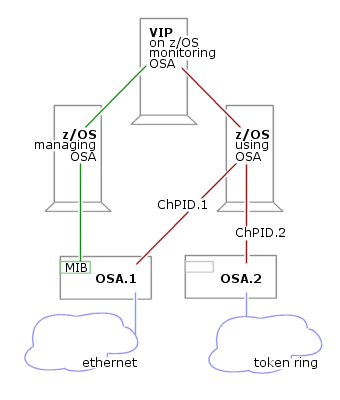
OSA devices connect to z/OS LPARS (logical partitions) through interfaces called ChPIDs (channel path IDs).

One z/OS box can be configured to host multiple LPARs. Multiple LPARS may reach a network through a single OSA box. Any one LPAR may reach multiple networks through multiple OSA boxes.

An OSA device has a manager, a mainframe system with access to configuration and performance data via the OSA’s MIB (management information base).

OSA usage data also comes from the TCP/IP stacks connected to OSA devices, much like usage data for any other interface.

VIP consolidates data from all sources, providing complete details regarding OSA configuration, traffic volumes, and performance.


click to enlarge

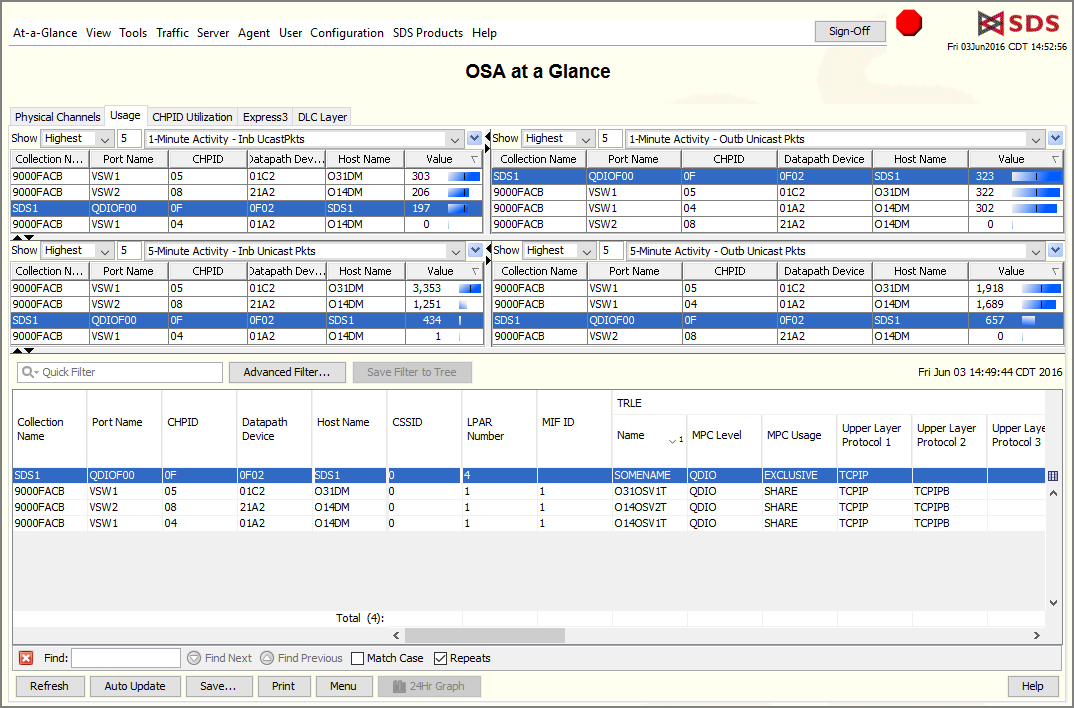
OSA at a Glance

OSA configuration, status, availability, utilization, and traffic volumes—in 3 tables:

  • Physical Channels: Traffic volumes and performance for each OSA channel, as reported by the OSA device and its mainframe manager.
  • LPAR Utilization: Traffic volumes sent over OSA channels by each mainframe LPAR.
  • OSA Usage: Traffic volumes over each OSA channel, as reported by TCP/IP stacks.
  • For details, right-click on a data-row.


click to enlarge

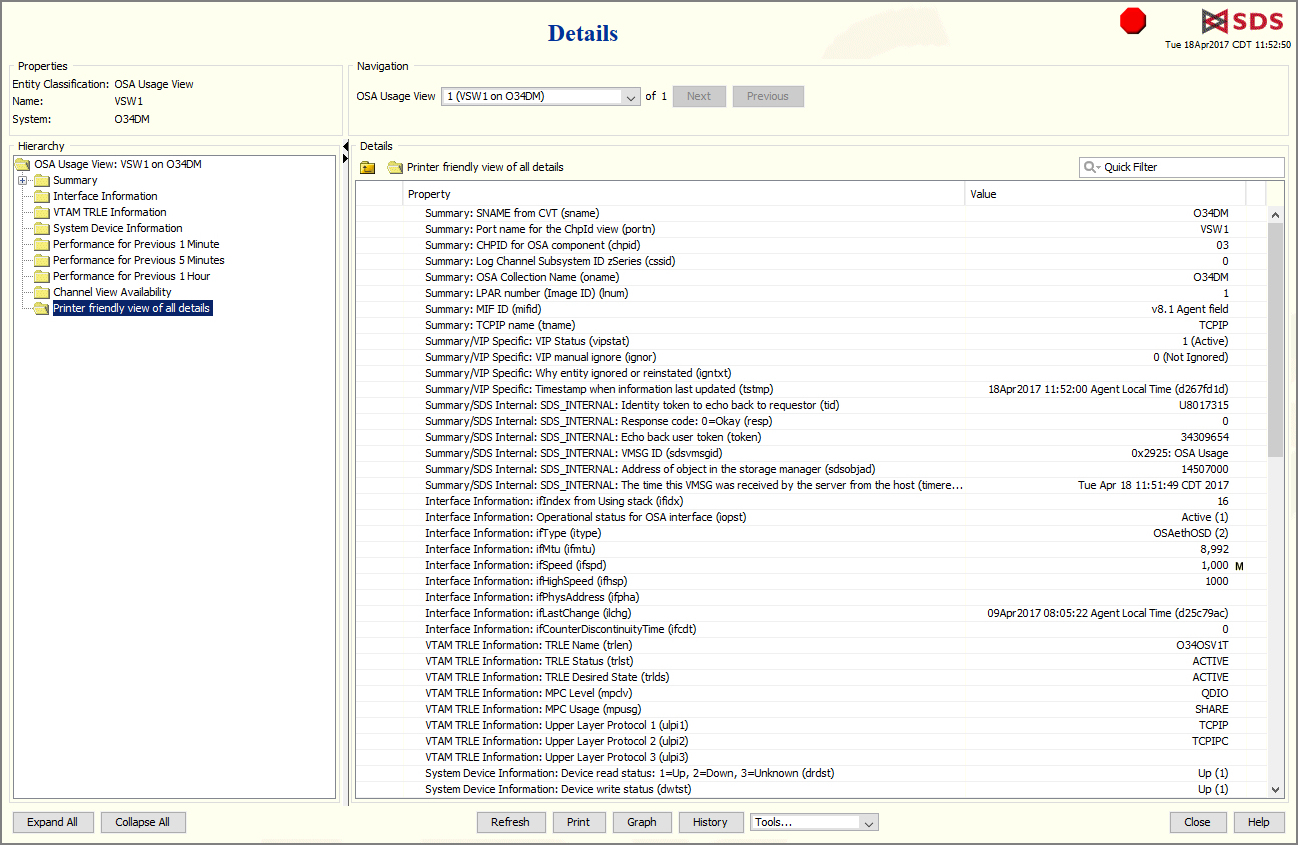
OSA Details

Every available detail about an OSA device and OSA connections:

  • Availability.
  • Operational status.
  • Bytes in and out.
  • Processor utilization.
  • Hardware type, version.
    Processor and PCI bus utilization.


click to enlarge

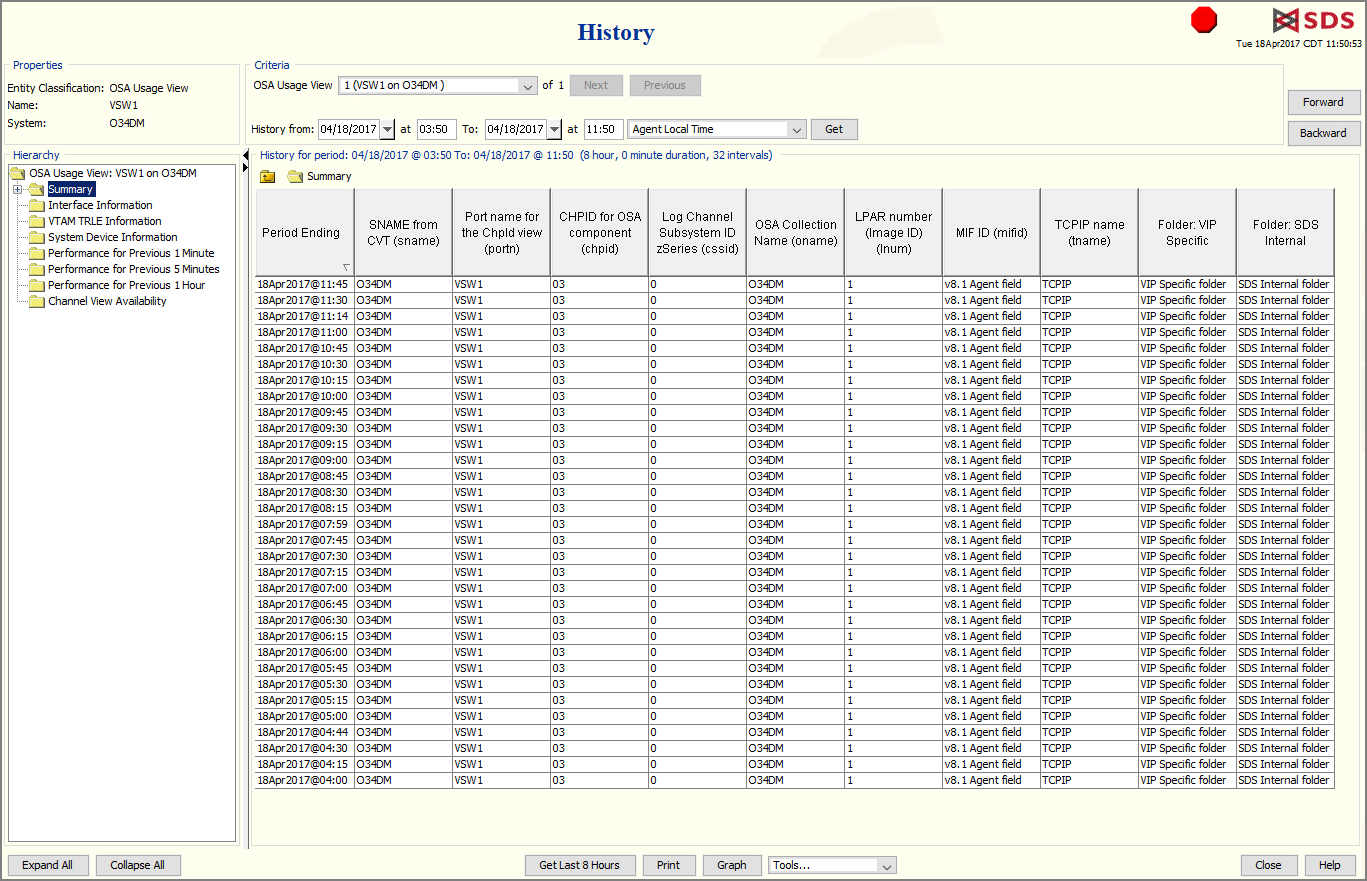
OSA History

Every OSA detail over a recent time span:

  • Report spans days, weeks, months—depending on the amount of traffic and the file-space allocated.
  • Easily zero-in on specific time span, then scroll forward and back.
  • Print or graph selected fields.


click to enlarge

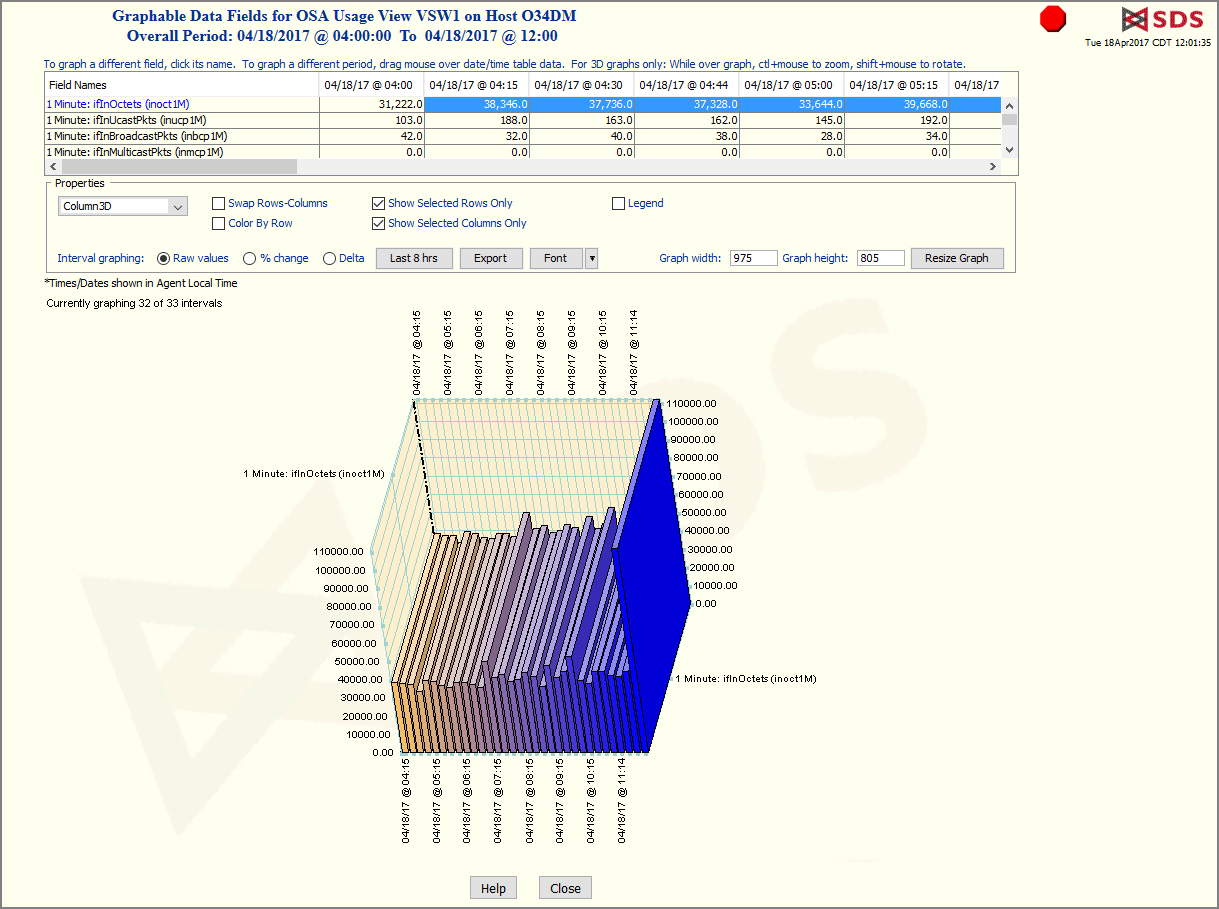
OSA History Graph

  • For any of an object’s numeric fields, click and drag the mouse to select fields and times to graph.
  • Select from 17 shapes of graph—lines, pies, bars, etc.
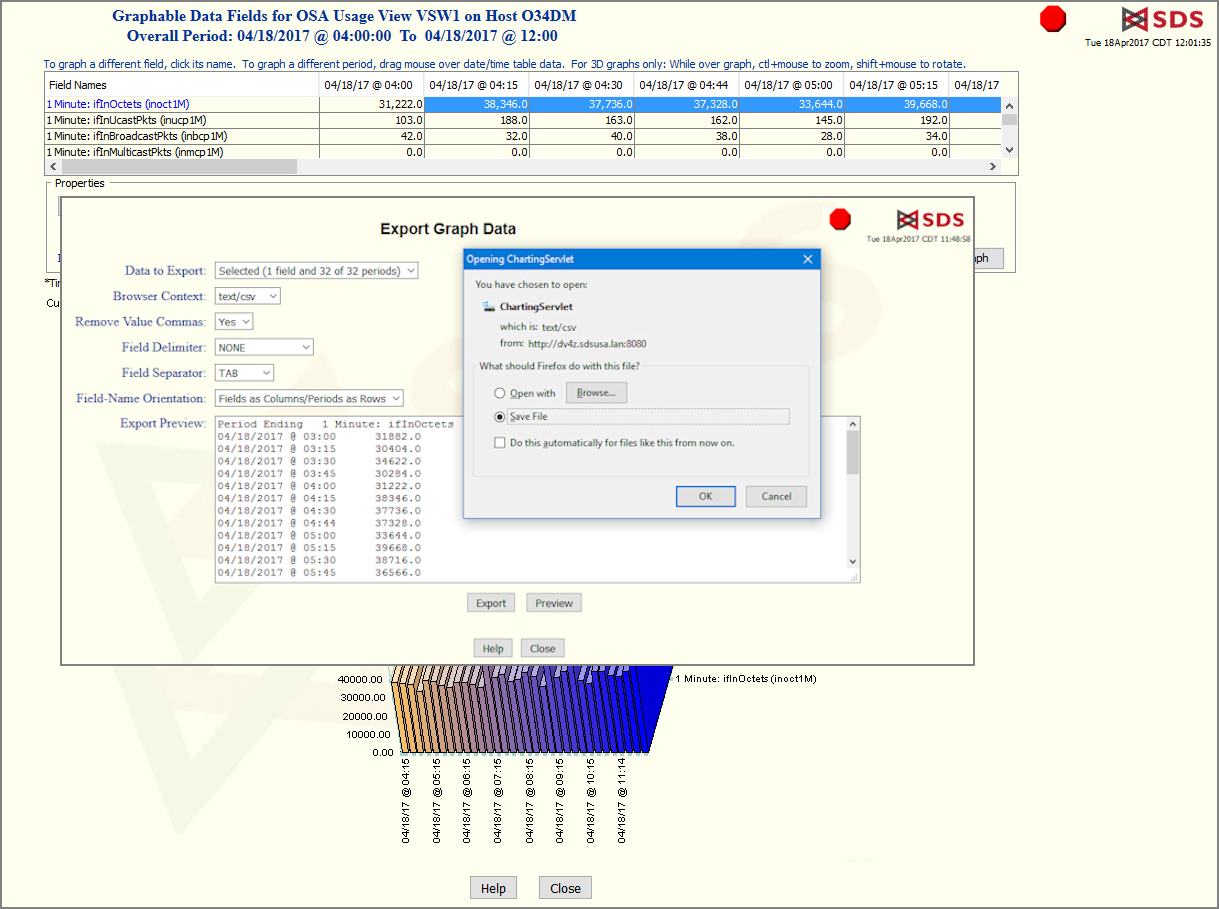
  • Export raw data to comma-separated tables.


click to enlarge

Export OSA History

  • Preview raw data.
  • Save data table to local disk.
  • Or open data table with another application, Excel for example.