SDS, MVS, OS/390
CONTACT US    | 
SEARCH 

SDS, VIP, Vital Signs

VIP
Vital Signs VisionNet
Clients
Events
Contact Us


Software Diversified Services
6010 Earle Brown Drive
Brooklyn Center, MN 55430 USA

voice: 763-571-9000
fax: 763-572-1721

SDS is an IBM Business Partner in Development; VIP is ServerProven for IBM eServer
Enterprise Extender Monitoring
Enterprise Extender monitoring with VIP
  More about VIP     |     Contact Us     |     SDS Products
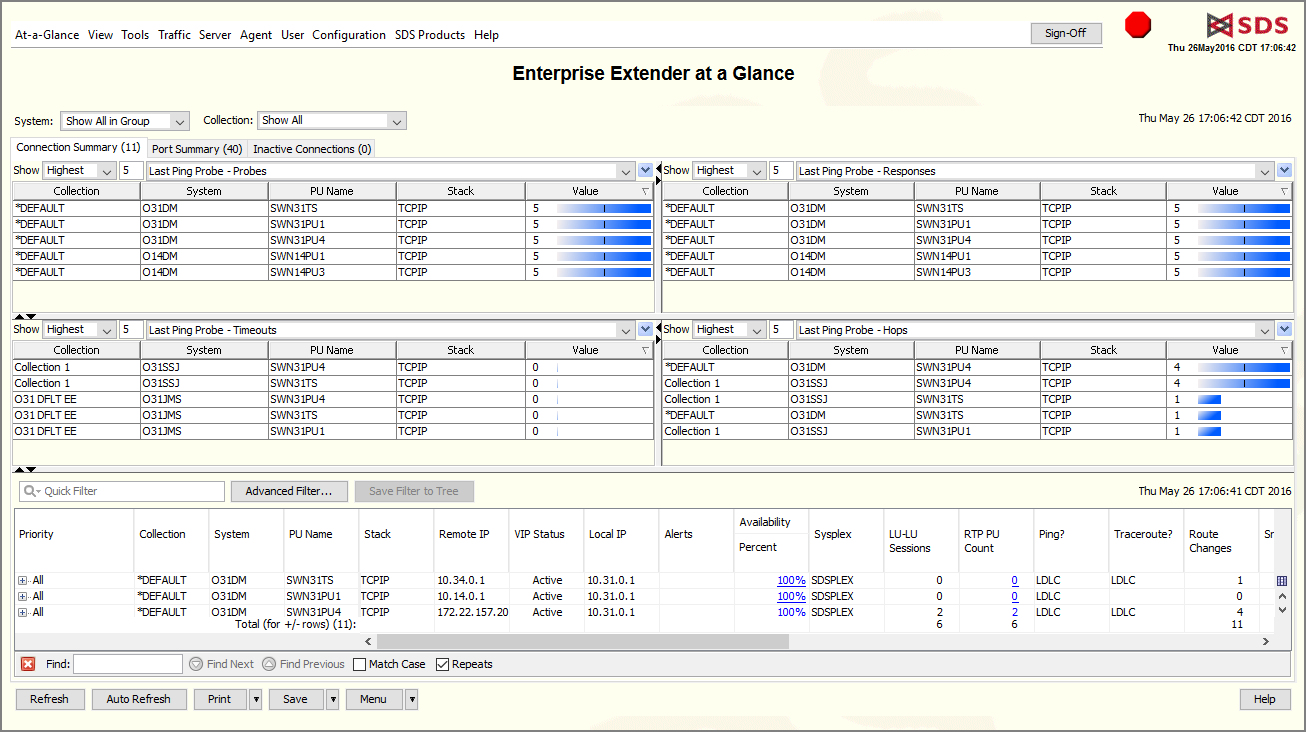
Enterprise Extender at a Glance

click to enlarge

Enterprise Extender connects SNA-VTAM to the TCP/IP network.

Enterprise Extender at Glance summarizes E.E. configuration and performance, in two tables:

  • Connection Summary: E.E. monitoring from the VTAM side. Summaries for each E.E. instance, and individual records for each class of service.
  • Port Summary: E.E. monitoring from the TCP/IP side, individual records for each class of service.

For details, right-click on a data-row.


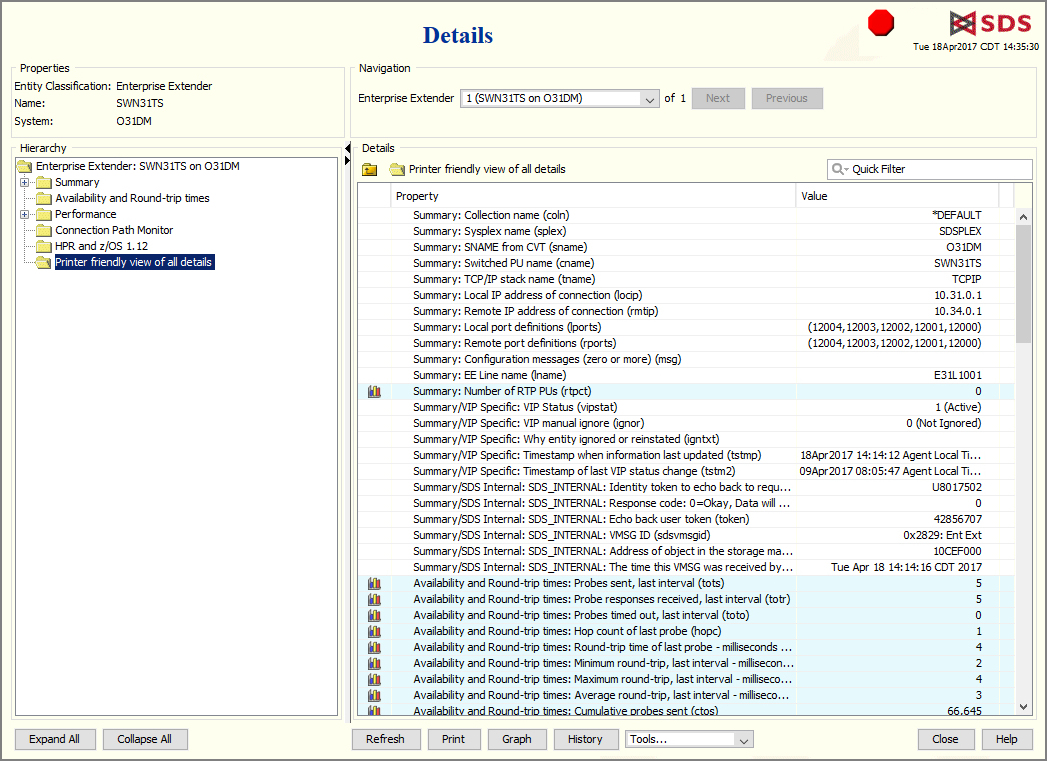
Enterprise Extender Details

click to enlarge

Every available detail about Enterprise Extender:

  • E.E. status and availability.
  • Bytes, datagrams, and packets in and out.
  • Hop counts and round-trip times.
  • IP addresses for every node in route, and alerts when route changes.
  • Retry and retransmit counts.
  • Counts of LU-to-LU sessions.

Enterprise Extender History

click to enlarge

Every Enterprise Extender detail over a recent time span:
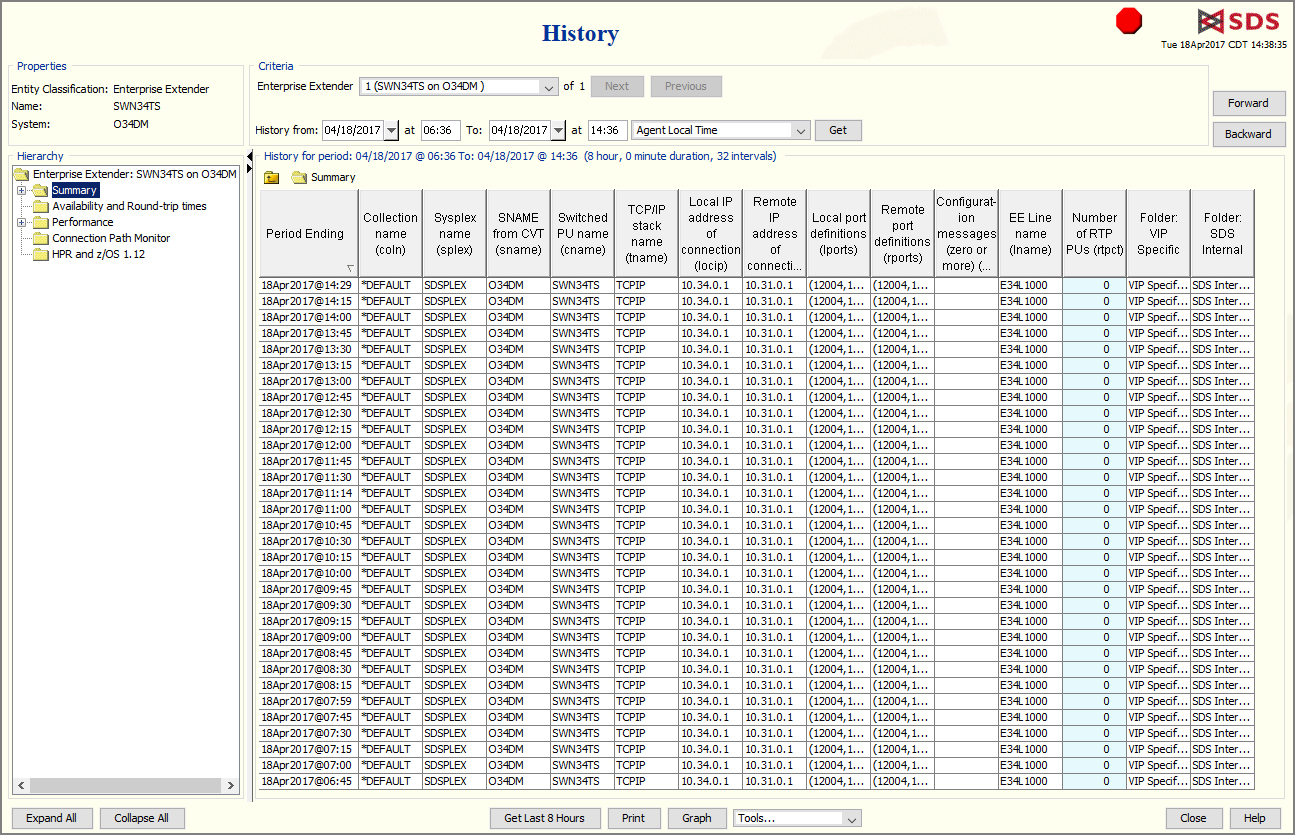
  • Report spans days, weeks, months--depending on the amount of traffic and the file-space allocated.
  • Easily zero-in on specific time span, then scroll forward and back.
  • Print or graph selected fields.

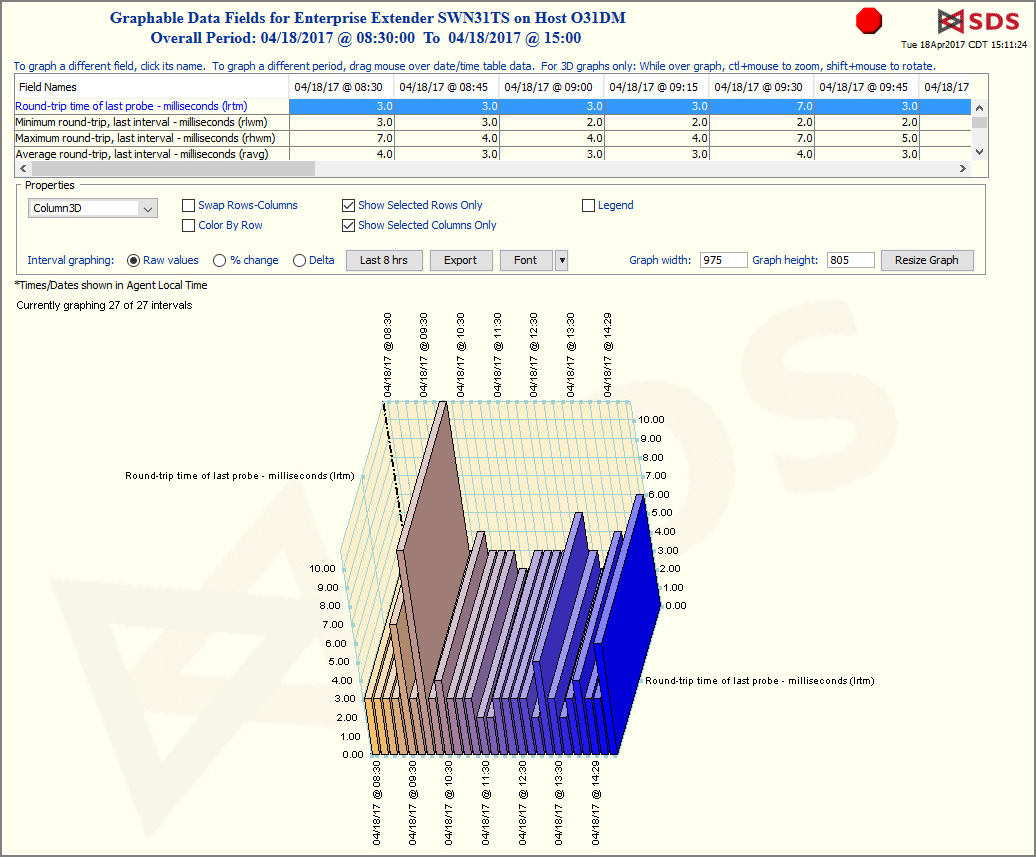
Enterprise Extender History Graph

click to enlarge

  • For any of an object's numeric fields, click and drag the mouse to select fields and times to graph.
  • Select from 17 shapes of graph--lines, pies, bars, etc.
  • Export raw data to comma-separated tables.

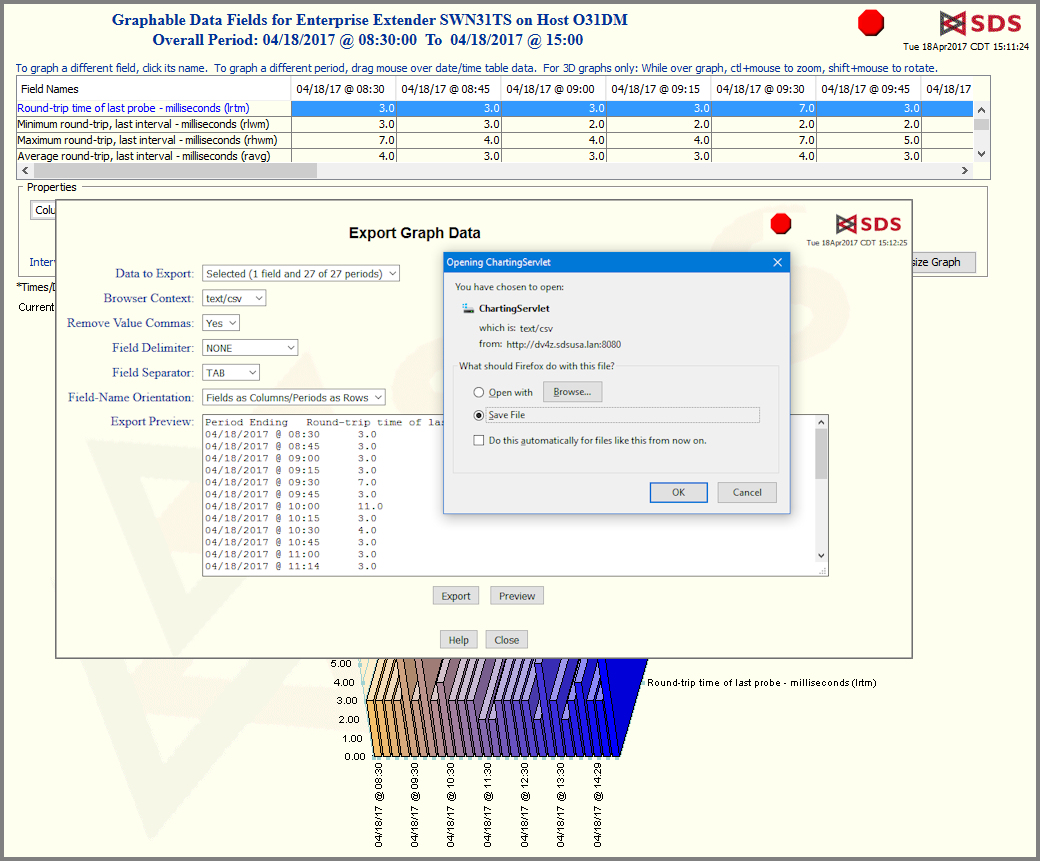
Export Enterprise Extender History

click to enlarge

  • Preview raw data.
  • Save data table to local disk.
  • Or open data table with another application, Excel for example.

 
    Copyright © 2006 Software Diversified Services. All rights reserved.